
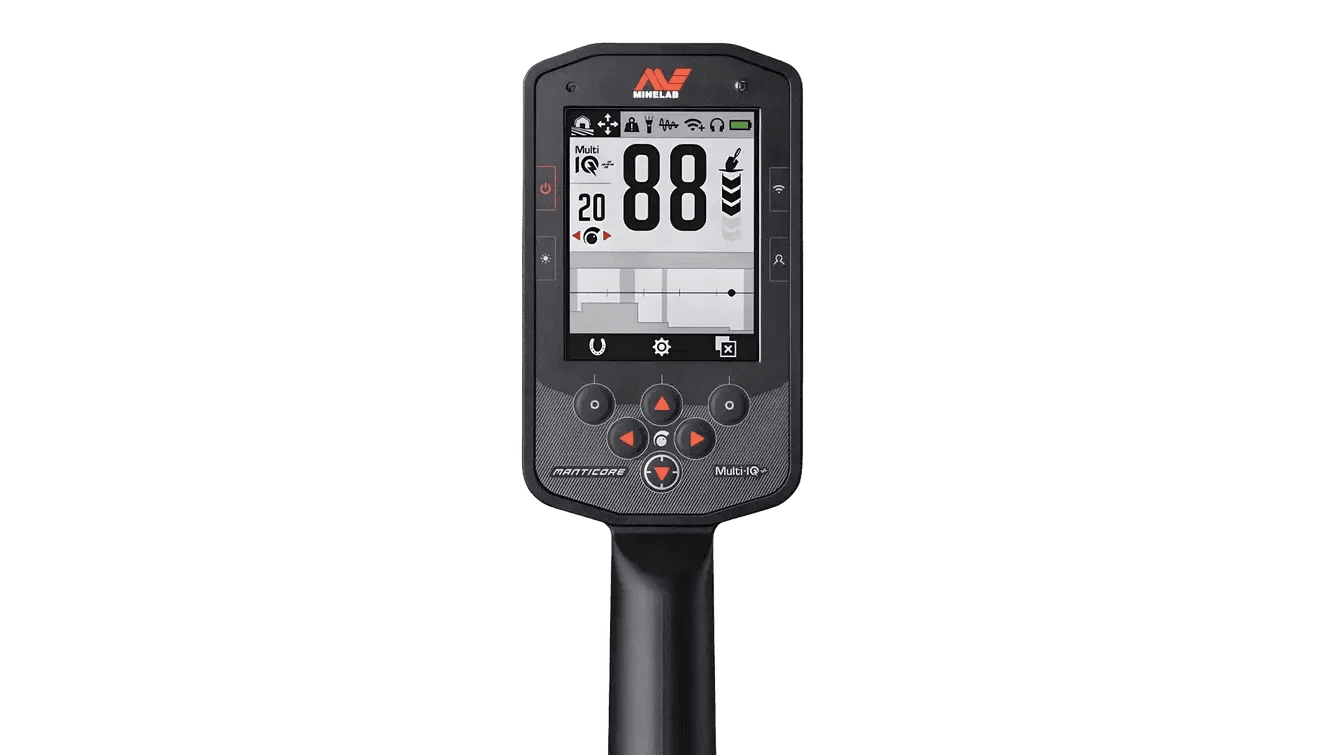
Minelab Manticore Common Settings: A Practical Setup Guide
The Minelab Manticore offers tremendous control, but getting good performance does not require changing every setting. The best approach is to begin with the correct Search Mode, stabilize the detector, and then make small adjustments for the site. This guide explains the Manticore settings most detectorists use regularly and provides practical starting points for parks, fields, beaches and goldfields.
The Four-Step Manticore Setup
1. Select the Right Search Mode
Search Mode is the foundation of the setup because each mode is optimized for a different environment and target range. Instead of trying to force one custom program to work everywhere, start with the closest factory mode and adjust only what the site requires.

Common Search Mode choices
- Parks and general coin hunting: Start with an All-Terrain mode. All-Terrain General is a dependable first choice for mixed targets and typical park conditions.
- Older fields and relic sites: Use an All-Terrain mode suited to the conductivity of the targets you expect. Keep the factory mode intact until you understand how the site responds.
- Dry sand, wet sand and surf: Use a Beach mode rather than an All-Terrain mode. Salt conditions require specialized processing, and the correct Beach mode will normally be smoother and more accurate.
- Natural gold: Begin with Goldfield. Gold detecting places more emphasis on small targets and careful Ground Balance.
Once a mode is working well, save it as your Favourite Mode so you can return to it quickly.
2. Sensitivity: Run It as High as Conditions Allow
Sensitivity controls how strongly the detector responds to signals. Higher is not automatically better. Excessive Sensitivity can produce false signals, unstable Target IDs and audio that masks real targets. The useful setting is the highest level that remains reasonably stable at the current site.

A simple way to set Sensitivity
- Complete Noise Cancel first.
- Hold the coil just above clean ground and listen for instability.
- Raise Sensitivity gradually until false signals become distracting.
- Reduce it slightly until the detector becomes smooth and repeatable.
In clean, quiet ground you may be able to run higher. Near buried power lines, Wi-Fi equipment, electric fences, other detectors or mineralized soil, reducing Sensitivity can improve actual field performance.
3. Noise Cancel: Use It at Every New Site
Electromagnetic interference can sound like random chatter, repeating pulses or unstable signals while the coil is stationary. Auto Noise Cancel is one of the quickest and most important Manticore setup steps. Keep the coil still and away from obvious metal while the process runs.

When to repeat Noise Cancel
- When arriving at a new property or moving to a different section of a large site.
- After changing Search Mode or operating frequency.
- When another detectorist begins searching nearby.
- Whenever the detector suddenly becomes noisy while the coil is stationary.
If Noise Cancel does not solve the problem, move away from the interference source when possible and lower Sensitivity a few levels.
4. Ground Balance: Use It When the Ground Is Talking
Ground Balance helps the detector account for mineralization. Many mild sites can be searched successfully with the mode's default setting, but a Ground Balance becomes valuable when the soil itself produces signals as the coil is raised and lowered.

Auto, Manual or Tracking?
- Auto Ground Balance: The easiest choice for most users. Find an area without a target and follow the detector's pumping procedure.
- Manual Ground Balance: Useful when an experienced operator wants precise control.
- Tracking Ground Balance: Helpful where mineralization changes continuously, but it is not necessary at every site. Avoid leaving Tracking on automatically when the ground is consistent.
Noise Cancel addresses electrical interference; Ground Balance addresses the response from the soil. They solve different problems and may both be needed.
5. Recovery Speed: Balance Separation and Depth
Recovery Speed controls how quickly the Manticore can respond to one target and then identify the next. Higher settings help separate adjacent targets in trash, while lower settings can provide a stronger response on deeper targets in cleaner ground. Swing speed and coil control are part of the equation.

Practical Recovery Speed adjustments
- Trashy park or house site: Move toward a faster setting and use a controlled swing to separate coins from nearby iron and aluminum.
- Open field with fewer targets: A moderate or slightly slower setting can emphasize deeper responses.
- Dense iron: Faster recovery can help, but do not swing so quickly that you lose coil coverage or target information.
Change Recovery Speed in small steps and compare the same questionable target before digging. That is more reliable than choosing a value based only on depth tests performed in different soil.
6. Audio Theme and Target Information
The Manticore's Audio Theme changes how target strength and depth are presented. Choose the theme that lets you understand the site without causing audio fatigue.

What the Audio Themes are for
- Normal: A familiar general-purpose response and a good place to begin.
- Enhanced: Provides a different response shape that some users prefer for target clarity.
- Depth: Uses audio behavior to provide additional perception of signal strength and depth.
- Prospecting: Designed for continuous, highly responsive audio and is especially useful for goldfield-style searching.
Target Tones, Ferrous Pitch and Ferrous Volume can then be adjusted to make desired targets easier to hear without allowing iron responses to dominate the audio.
7. Ferrous Tones and Ferrous Limits
Ferrous Tones determine how iron responses sound. Ferrous Limits determine which areas of the two-dimensional Target ID Map are treated as ferrous. These settings are powerful, but aggressive changes can cause desirable targets near iron to be classified incorrectly.


Best practice for iron settings
- Begin with the factory Ferrous Limits preset for the selected Search Mode.
- Set Ferrous Volume low enough that iron is not overwhelming, but high enough that you still understand the site's iron content.
- Use the Target Trace and repeatable audio together rather than relying on the Target ID number alone.
- Make custom Ferrous Limit changes only after testing known targets and comparing responses from multiple directions.
At iron-heavy locations, hearing some iron is useful. Completely silencing it can remove valuable context and make it harder to recognize a good target positioned close to a nail.
Common Starting Profiles
Park Coin Hunting
Mode: All-Terrain General
Frequency: Multi-IQ+
Recovery: Moderate; faster in heavy trash
Sensitivity: Highest stable level
Routine: Auto Noise Cancel, then Ground Balance only when needed
Fields and Relics
Mode: Appropriate All-Terrain mode
Frequency: Multi-IQ+
Recovery: Moderate or slightly slower in clean ground
Audio: Normal or Depth
Routine: Recheck deep or mixed signals from several angles
Beach Detecting
Mode: Correct Beach mode for the zone being searched
Frequency: Multi-IQ+
Sensitivity: Stable rather than maximum
Routine: Noise Cancel when conditions change; use careful coil control over wet salt and surf
Goldfield Searching
Mode: Goldfield
Audio: Prospecting
Ground Balance: Essential in mineralized ground
Sensitivity: High but stable
Routine: Investigate small, repeatable variations in the threshold and audio
Troubleshooting a Noisy Manticore
- Stop swinging and determine whether the noise continues with the coil stationary.
- Run Auto Noise Cancel.
- Move away from power sources, electric fences, vehicles and other detectors.
- Check the coil connector and make sure the coil cable is secure and not moving loosely.
- Ground Balance if the noise occurs mainly while the coil moves toward and away from the soil.
- Reduce Sensitivity until operation becomes stable.
- Return the Search Mode to its factory settings if extensive custom changes have made diagnosis difficult.
The Best Manticore Setting Is a Stable Setting
The Manticore rewards careful setup more than extreme settings. Select the correct mode, perform Noise Cancel, Ground Balance when conditions require it, and use the highest Sensitivity that remains stable. After that, adjust Recovery Speed, audio and iron handling one setting at a time. This preserves the Manticore's excellent target information and makes it much easier to understand why the detector is responding.
This guide is intended as a practical companion to the Minelab Manticore instruction manual. Always refer to the current manual and software notes for complete operating and safety information.